Cart decision tables
This page documents snappycart behaviour using decision tables.
It is designed for contributors who prefer rule-based test design over state-based modelling. Instead of focusing on state transitions first, this page focuses on conditions and expected outcomes.
Each decision table answers one core question:
given these conditions, what should happen?
Why decision tables fit snappycart
snappycart has a compact set of cart rules:
- adding an item may create a new line or merge with an existing line
- incrementing changes quantity only for existing lines
- decrementing may reduce quantity or remove a line
- clearing resets cart data
- drawer visibility changes independently from cart data
- invalid actions must not corrupt totals or item structure
That makes decision tables a strong fit.
How to read the tables
Each table contains:
- conditions in the upper rows
- actions in the lower rows
- rule columns from left to right
To use a table:
- identify the event being tested
- evaluate the current conditions
- match those conditions to one rule column
- assert the actions marked with
Y
Legend
| Symbol | Meaning |
|---|---|
| Y | Yes, this condition is true |
| N | No, this condition is false |
| - | This condition does not matter for this rule |
Contract assumptions
The tables below assume the following intended behaviour:
- items are matched by
product.id - adding the same product merges into the existing line
- decrement from quantity
1removes the line item clear()empties cart data- drawer visibility is controlled separately from cart data
- invalid quantity input must not create a broken cart state
- repeated actions must not corrupt totals or cart structure
Decision table 1: Add item behaviour
This table defines what happens when addItem() is triggered.
| Conditions / Rules | R1 | R2 | R3 | R4 |
|---|---|---|---|---|
| Product payload is valid | Y | Y | N | N |
| Product already exists in cart | N | Y | - | - |
| Quantity input is valid positive integer | Y | Y | - | N |
| Actions | ||||
| Create new line item | Y | N | N | N |
| Increase existing line quantity | N | Y | N | N |
Recalculate totalItems | Y | Y | N | N |
Recalculate subtotal | Y | Y | N | N |
| Reject request safely | N | N | Y | Y |
| Keep cart structure unchanged | N | N | Y | Y |
Rule notes
- R1: a valid new product creates a new line item
- R2: a valid existing product increases quantity on the same line
- R3: an invalid product payload is rejected safely
- R4: an invalid quantity input is rejected safely
Visual reference
Add first item
This clip shows the rule where a valid new product creates the first line item in the cart.
Add same item and merge quantity
This clip shows the rule where adding the same product increases quantity on the existing line instead of creating a duplicate row.
Add different item and create a second line
This clip shows the rule where a different product creates an additional line item.
Decision table 2: Increment behaviour
This table defines what happens when increment() is triggered.
| Conditions / Rules | R1 | R2 |
|---|---|---|
| Line item exists | Y | N |
| Actions | ||
| Increase quantity by 1 | Y | N |
Recalculate totalItems | Y | N |
Recalculate subtotal | Y | N |
| Reject request safely | N | Y |
| Keep cart structure unchanged | N | Y |
Rule notes
- R1: increment works only for an existing line item
- R2: increment on a missing line item must be a safe no-op or rejected safely
Decision table 3: Decrement behaviour
This table defines what happens when decrement() is triggered.
| Conditions / Rules | R1 | R2 | R3 |
|---|---|---|---|
| Line item exists | Y | Y | N |
| Current quantity is greater than 1 | Y | N | - |
| Actions | |||
| Decrease quantity by 1 | Y | N | N |
| Remove line item | N | Y | N |
Recalculate totalItems | Y | Y | N |
Recalculate subtotal | Y | Y | N |
| Reject request safely | N | N | Y |
| Keep cart structure unchanged | N | N | Y |
Rule notes
- R1: quantity greater than
1is reduced by one - R2: quantity equal to
1removes the line item - R3: decrement on a missing line item must not corrupt the cart
Visual reference
Decrement quantity back to one
This clip shows the rule where decrement reduces quantity from a value greater than 1 back to 1.
Remove the last line item
This clip shows the rule where decrement or remove action clears the last remaining line item from the cart.
Decision table 4: Set quantity behaviour
This table defines what happens when setQuantity() is triggered.
| Conditions / Rules | R1 | R2 | R3 | R4 | R5 |
|---|---|---|---|---|---|
| Line item exists | Y | Y | Y | Y | N |
| New quantity is positive integer > 1 | Y | N | N | N | - |
| New quantity is exactly 1 | N | Y | N | N | - |
| New quantity is 0 or below | N | N | Y | N | - |
New quantity is invalid (NaN, decimal, non-numeric) | N | N | N | Y | - |
| Actions | |||||
| Set quantity to provided value | Y | Y | N | N | N |
| Remove line item | N | N | Y | N | N |
Recalculate totalItems | Y | Y | Y | N | N |
Recalculate subtotal | Y | Y | Y | N | N |
| Reject request safely | N | N | N | Y | Y |
| Keep cart structure unchanged | N | N | N | Y | Y |
Rule notes
- R1: a valid quantity above
1sets the line quantity directly - R2: quantity
1keeps the line as a single item - R3: zero or negative quantity removes the line item
- R4: invalid quantity input must be rejected safely
- R5: missing line item must not be mutated
Decision table 5: Remove item behaviour
This table defines what happens when removeItem() is triggered.
| Conditions / Rules | R1 | R2 |
|---|---|---|
| Line item exists | Y | N |
| Actions | ||
| Remove line item | Y | N |
Recalculate totalItems | Y | N |
Recalculate subtotal | Y | N |
| Reject request safely | N | Y |
| Keep cart structure unchanged | N | Y |
Rule notes
- R1: an existing line item is removed
- R2: removing a missing line item must not corrupt the cart
Decision table 6: Clear cart behaviour
This table defines what happens when clear() is triggered.
| Conditions / Rules | R1 | R2 |
|---|---|---|
| Cart has one or more line items | Y | N |
| Actions | ||
| Remove all line items | Y | N |
Set totalItems to 0 | Y | Y |
Set subtotal to 0 | Y | Y |
| Keep drawer visibility unchanged | Y | Y |
| Produce broken state | N | N |
Rule notes
- R1: a non-empty cart is reset to empty
- R2: clearing an already empty cart should still be safe and idempotent
Visual reference
This clip shows the rule where a non-empty cart is cleared and all derived values return to zero.
Decision table 7: Drawer open and close behaviour
This table defines what happens when the drawer UI is controlled.
| Conditions / Rules | R1 | R2 | R3 | R4 | R5 | R6 |
|---|---|---|---|---|---|---|
| Drawer is currently open | N | Y | Y | Y | N | Y |
Event is OPEN_DRAWER | Y | N | N | N | Y | N |
| Event is close button click | N | Y | N | N | N | N |
| Event is overlay click | N | N | Y | N | N | N |
| Event is Escape key | N | N | N | Y | N | N |
| Actions | ||||||
| Drawer becomes open | Y | N | N | N | Y | N |
| Drawer becomes closed | N | Y | Y | Y | N | N |
| Cart data remains unchanged | Y | Y | Y | Y | Y | Y |
| No-op allowed | N | N | N | N | Y | Y |
Rule notes
- R1: opening a closed drawer shows the drawer
- R2, R3, R4: standard close interactions close the drawer
- R5: opening an already open drawer may be treated as a no-op
- R6: closing a closed drawer may be treated as a no-op
Visual reference
This clip shows the drawer opening without mutating cart data.
Decision table 8: Empty state rendering
This table defines when the empty UI should be shown.
| Conditions / Rules | R1 | R2 | R3 | R4 |
|---|---|---|---|---|
| Drawer is open | Y | Y | N | N |
| Cart has zero line items | Y | N | Y | N |
| Actions | ||||
| Show empty state message | Y | N | N | N |
| Show line items | N | Y | N | N |
| Hide drawer content from view | N | N | Y | Y |
| Show clear cart action | N | Y | N | N |
Rule notes
- R1: empty state belongs to an open drawer with zero items
- R2: a non-empty open drawer shows line items and relevant actions
- R3, R4: when the drawer is closed, drawer content is not visible
Visual reference
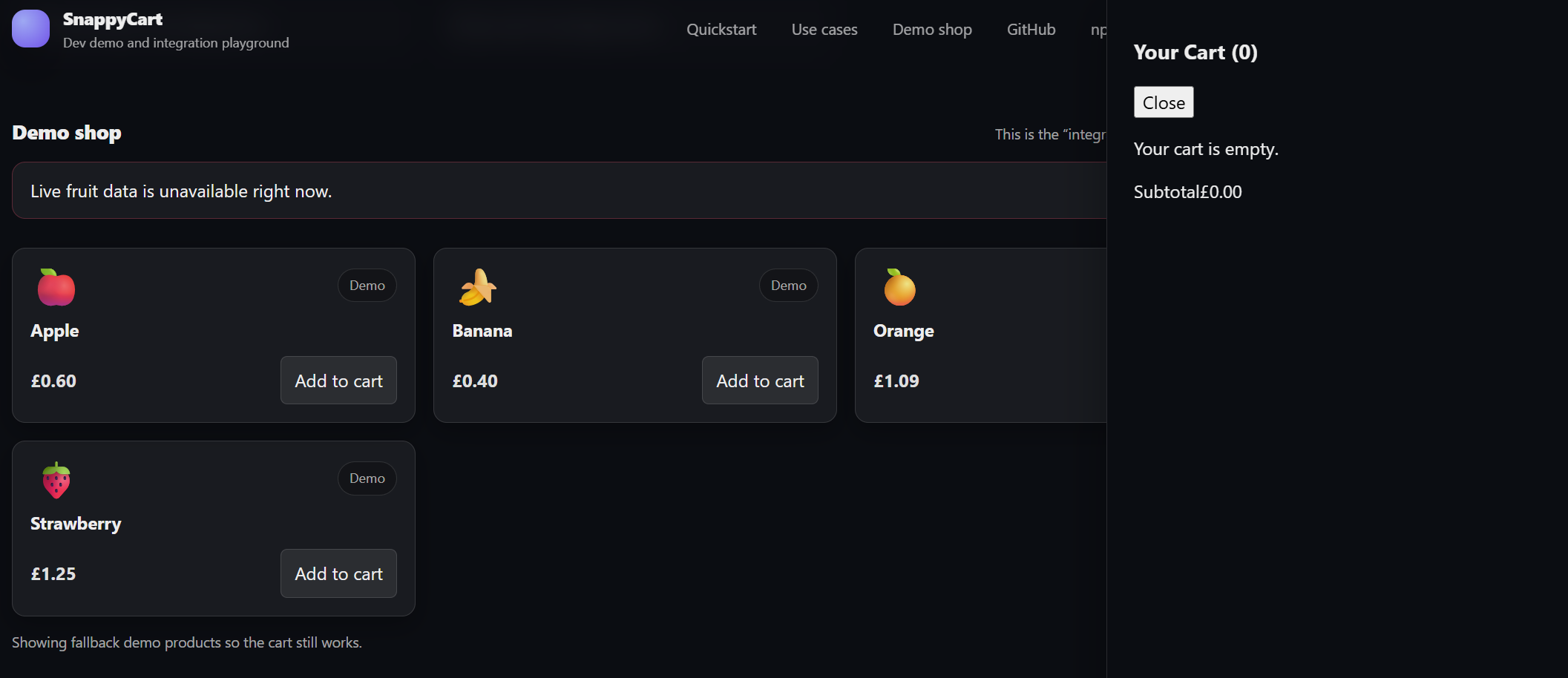
This screenshot shows the empty state rendered inside an open drawer.
Decision table 9: Badge rendering
This table defines the expected cart badge behaviour.
| Conditions / Rules | R1 | R2 |
|---|---|---|
totalItems equals 0 | Y | N |
totalItems is greater than 0 | N | Y |
| Actions | ||
| Badge shows 0 or empty-cart representation defined by the UI | Y | N |
Badge shows current totalItems value | N | Y |
| Badge must match derived cart value | Y | Y |
Rule notes
This table does not force one specific visual design for zero-state badges. It only requires the badge output to remain consistent with the cart data contract.
Visual reference
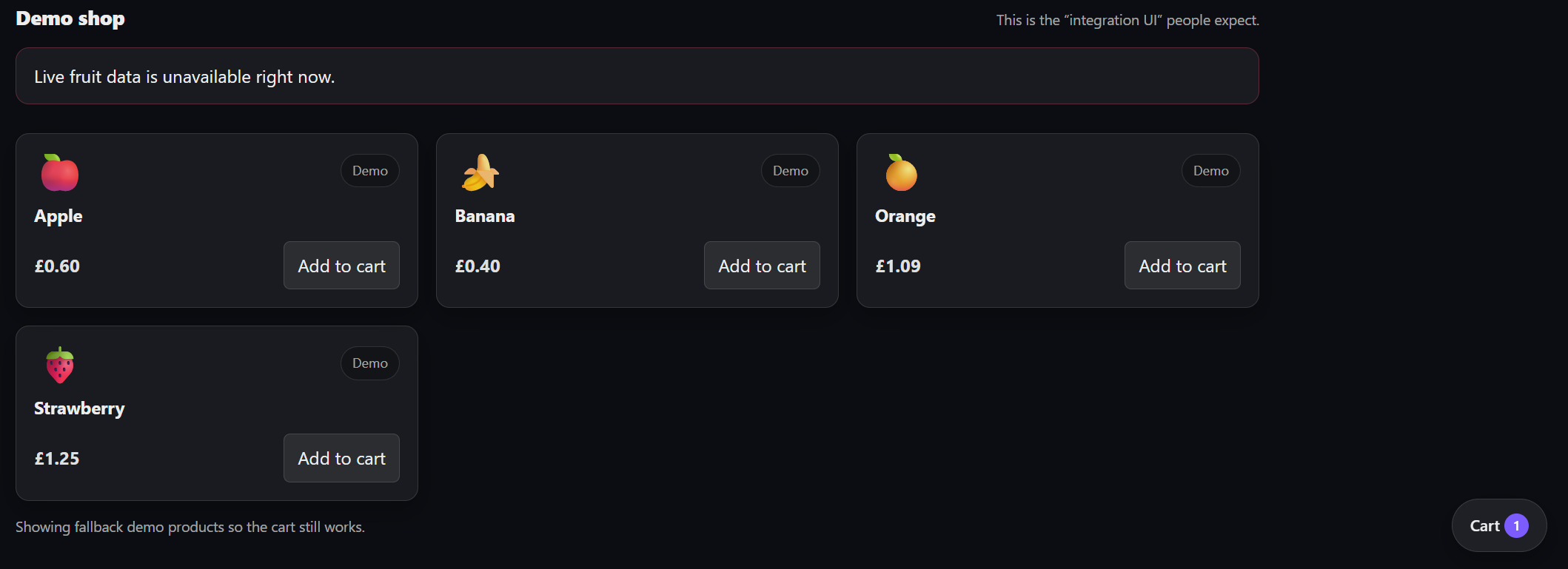
Single line cart
Multi-line cart
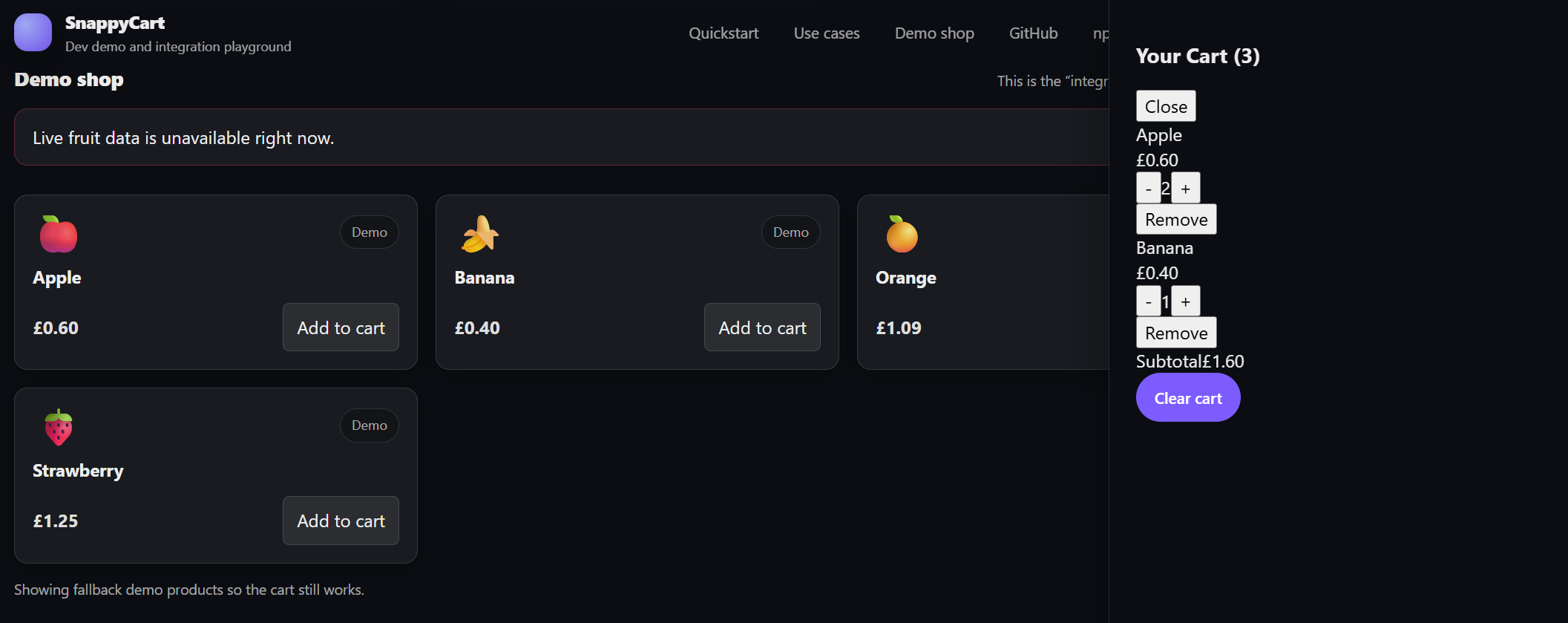
These screenshots show examples where visible cart output should remain consistent with derived totals.
Decision table 10: Derived values integrity
This table defines when totals must be recomputed.
| Conditions / Rules | R1 | R2 | R3 |
|---|---|---|---|
| Cart mutation succeeds | Y | N | N |
| Request is rejected safely | N | Y | N |
| UI-only event happens | N | N | Y |
| Actions | |||
Recalculate totalItems | Y | N | N |
Recalculate subtotal | Y | N | N |
| Keep derived values unchanged | N | Y | Y |
| Keep cart structure unchanged | N | Y | Y |
Rule notes
- R1: successful cart mutations must update derived values
- R2: rejected actions must not change totals
- R3: UI-only events such as opening or closing the drawer must not change totals
How contributors should use this page
Use these tables to design tests at the right level.
For reducer unit tests
Focus on:
- add, remove, increment, decrement, set quantity, clear
- line item structure
- derived values
For provider and hook integration tests
Focus on:
- public behaviour through
useCart() items,totalItems, andsubtotal- safe behaviour when actions are invalid
For component tests
Focus on:
- drawer visibility
- empty state rendering
- visible item rows
- clear cart visibility
- badge output
For end-to-end smoke tests
Focus on:
- happy path user flows
- one representative path per important rule group
- avoiding duplication of reducer-level rule coverage
How to convert a rule into a test
A practical flow is:
- choose one decision table
- pick one rule column
- set up the preconditions that satisfy that rule
- perform the event
- assert only the actions marked
Y - assert that non-selected actions did not happen
Coverage guidance
These decision tables are intended to make the rules explicit.
They are not a requirement to write one test per table row.
They are also not a requirement to duplicate the same rule across every testing layer.
The right goal is:
- full rule coverage
- minimal duplication
- stable tests
- clear ownership of behaviour
Summary
snappycart can be described effectively through decision tables because its behaviour is rule-driven.
This page gives contributors a compact way to answer the core question behind every cart test:
given these conditions, what should happen next?